

Hi everyone,
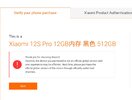
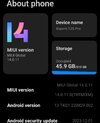
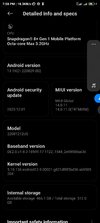
I'm stuck with bootloader unlocking on my Xiaomi 12S Pro (Chinese variant, model 2210133C/2206122SC, codename unicorn) running MIUI 14 (Android 13). I bought it as "Global" from AliExpress, but it's clearly a CN model with a modified/fake Global ROM (has Play Store/Google services pre-installed).
Current issues:
In Developer Options > Mi Unlock Status, it always shows "Device is unlocked" – even after multiple factory resets. This persists no matter what.
But real status via fastboot:
fastboot oem device-info
Output:
(bootloader) Verity mode: true
(bootloader) Device unlocked: false
(bootloader) Device critical unlocked: false
(bootloader) Charger screen enabled: true
→ Clearly locked.
Tried Mi Unlock Tool (latest versions) with a self-created China-region Mi account (using my foreign number + VPN to China).
Errors I get:
--Region mismatch (20045) initially
--"Unknown error, try again later (-1)"
--"1004: Unknown error, try again later"
--Binding sometimes works (phone shows in Mi Account devices), but unlock always fails.
No bind option appears in Mi Unlock Status (because of the spoofed "unlocked" text).
Inserted SIM, mobile data on, tried different PCs/cables/VPNs – no luck.
I believe the seller flashed a modified ROM via EDL (without unlocking) and spoofed the unlock status in settings to make it look Global/unlocked. Now I'm stuck –
Questions:
Is there any working free method in late 2026 for CN 12S Pro models? (Bypass tools, special accounts, etc.)
Has anyone successfully unlocked a similar fake Global CN 12S Pro recently?
Recommendations for reliable paid remote unlock services that still support this older MIUI model? (Prefer ones with good reviews for 12 series.)
Any help or experiences would be greatly appreciated! Thanks in advance.
Device details recap:
Model: Xiaomi 12S Pro (CN)
ROM: Modified "Global" MIUI 14 (Android 13)
Bootloader: Locked (real), spoofed as unlocked in UI
I'm stuck with bootloader unlocking on my Xiaomi 12S Pro (Chinese variant, model 2210133C/2206122SC, codename unicorn) running MIUI 14 (Android 13). I bought it as "Global" from AliExpress, but it's clearly a CN model with a modified/fake Global ROM (has Play Store/Google services pre-installed).
Current issues:
In Developer Options > Mi Unlock Status, it always shows "Device is unlocked" – even after multiple factory resets. This persists no matter what.
But real status via fastboot:
fastboot oem device-info
Output:
(bootloader) Verity mode: true
(bootloader) Device unlocked: false
(bootloader) Device critical unlocked: false
(bootloader) Charger screen enabled: true
→ Clearly locked.
Tried Mi Unlock Tool (latest versions) with a self-created China-region Mi account (using my foreign number + VPN to China).
Errors I get:
--Region mismatch (20045) initially
--"Unknown error, try again later (-1)"
--"1004: Unknown error, try again later"
--Binding sometimes works (phone shows in Mi Account devices), but unlock always fails.
No bind option appears in Mi Unlock Status (because of the spoofed "unlocked" text).
Inserted SIM, mobile data on, tried different PCs/cables/VPNs – no luck.
I believe the seller flashed a modified ROM via EDL (without unlocking) and spoofed the unlock status in settings to make it look Global/unlocked. Now I'm stuck –
Questions:
Is there any working free method in late 2026 for CN 12S Pro models? (Bypass tools, special accounts, etc.)
Has anyone successfully unlocked a similar fake Global CN 12S Pro recently?
Recommendations for reliable paid remote unlock services that still support this older MIUI model? (Prefer ones with good reviews for 12 series.)
Any help or experiences would be greatly appreciated! Thanks in advance.
Device details recap:
Model: Xiaomi 12S Pro (CN)
ROM: Modified "Global" MIUI 14 (Android 13)
Bootloader: Locked (real), spoofed as unlocked in UI
Attachments
-
 Screenshot_2025-12-16-19-48-59-093_com.brave.browser~2.jpg116 KB · Views: 600
 -
 Screenshot_2025-12-16-19-56-55-105_com.android.settings~2.jpg147.1 KB · Views: 590
 -
 Screenshot_2025-12-16-19-58-26-706_com.android.settings.jpg475.5 KB · Views: 580
 -
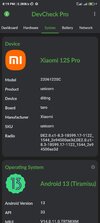 Screenshot_2025-12-16-20-19-05-900_flar2.devcheck.jpg488.8 KB · Views: 602


